A quick tour of OmniCast
Weather forecasting is more accurate when you look at multiple sources at once. OmniCast brings several professional forecast models together so you can see where they agree — and where they don't — before you make plans.
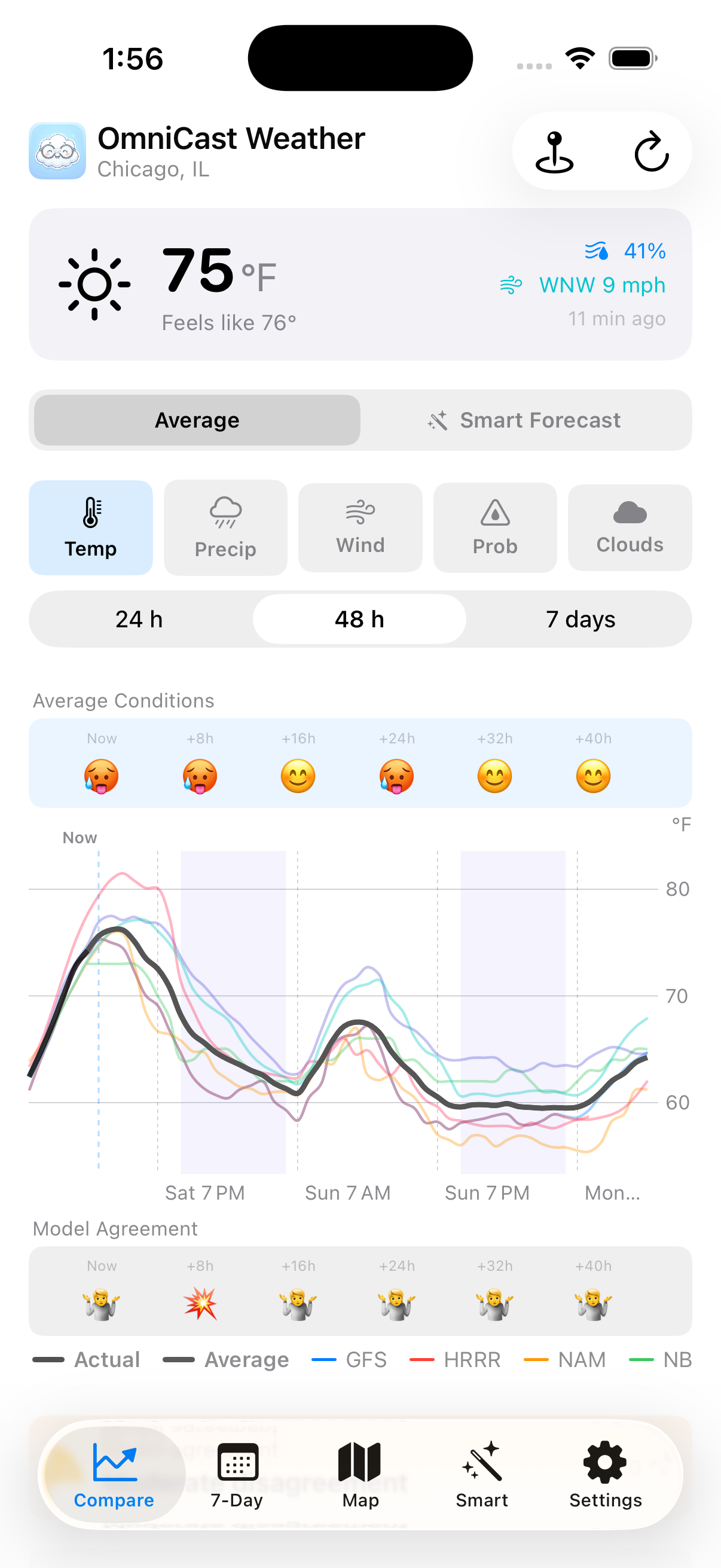
Compare every forecast at once
The Compare tab is your home base. It plots several forecast models — GFS, NAM, ECMWF IFS, and more — on a single chart so you can see how they line up. Pick the weather variable you care about:
- Temp — temperature through the day
- Precip — how much rain or snow each model expects
- Wind — speed and gusts
- Prob — chance of precipitation
- Clouds — cloud cover percentage
Tap 24h, 48h, or 7 days to zoom in or out. Tap anywhere on the chart to see exact values at that hour.
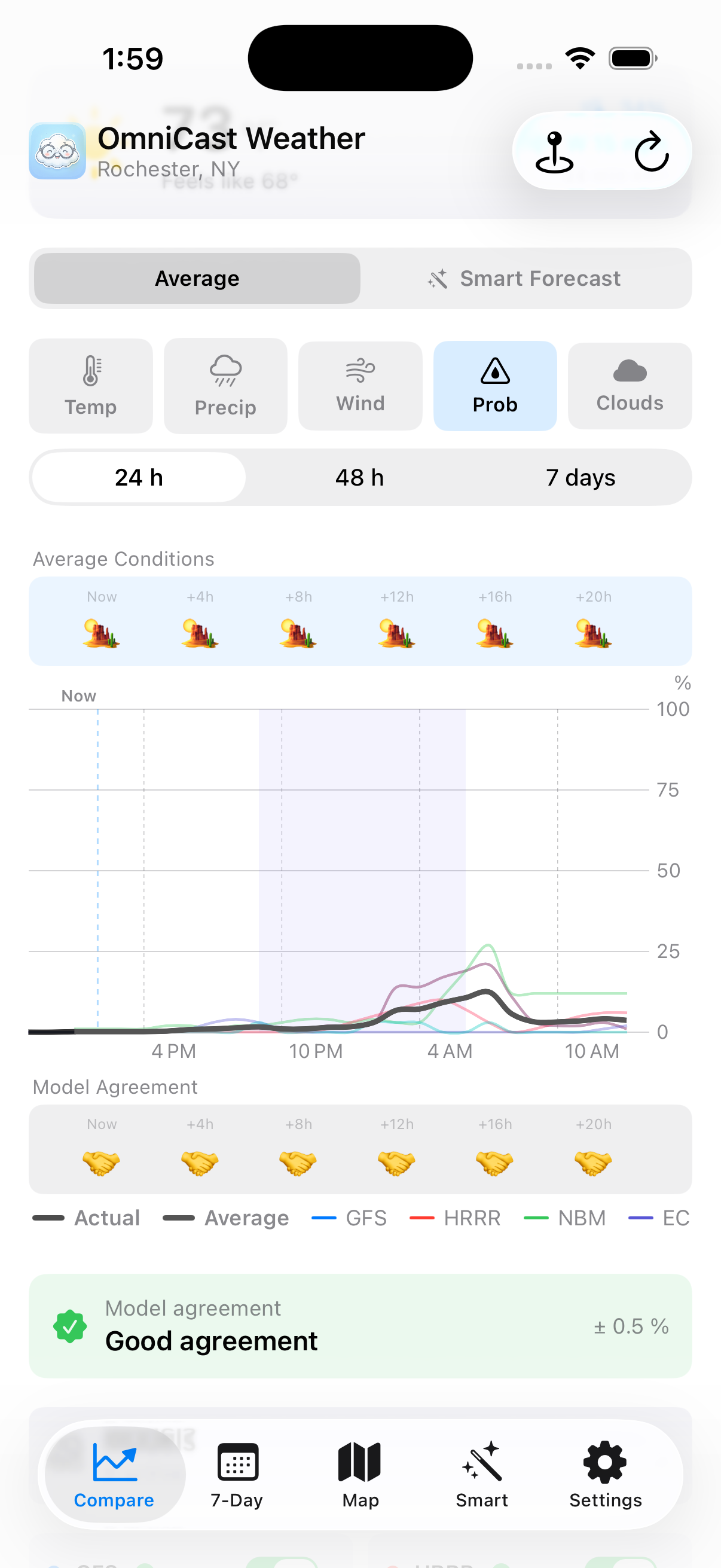
Know when to trust the forecast
Below the chart, the Model Agreement banner tells you how much the models disagree with each other. When models are clustered tightly together, the forecast is more reliable. When they spread apart, the future is genuinely uncertain — no app can know for sure.
The emoji strip gives you a quick at-a-glance read: matching emojis mean the models agree; mixed emojis signal a toss-up. The green Good agreement badge means you can plan with confidence.
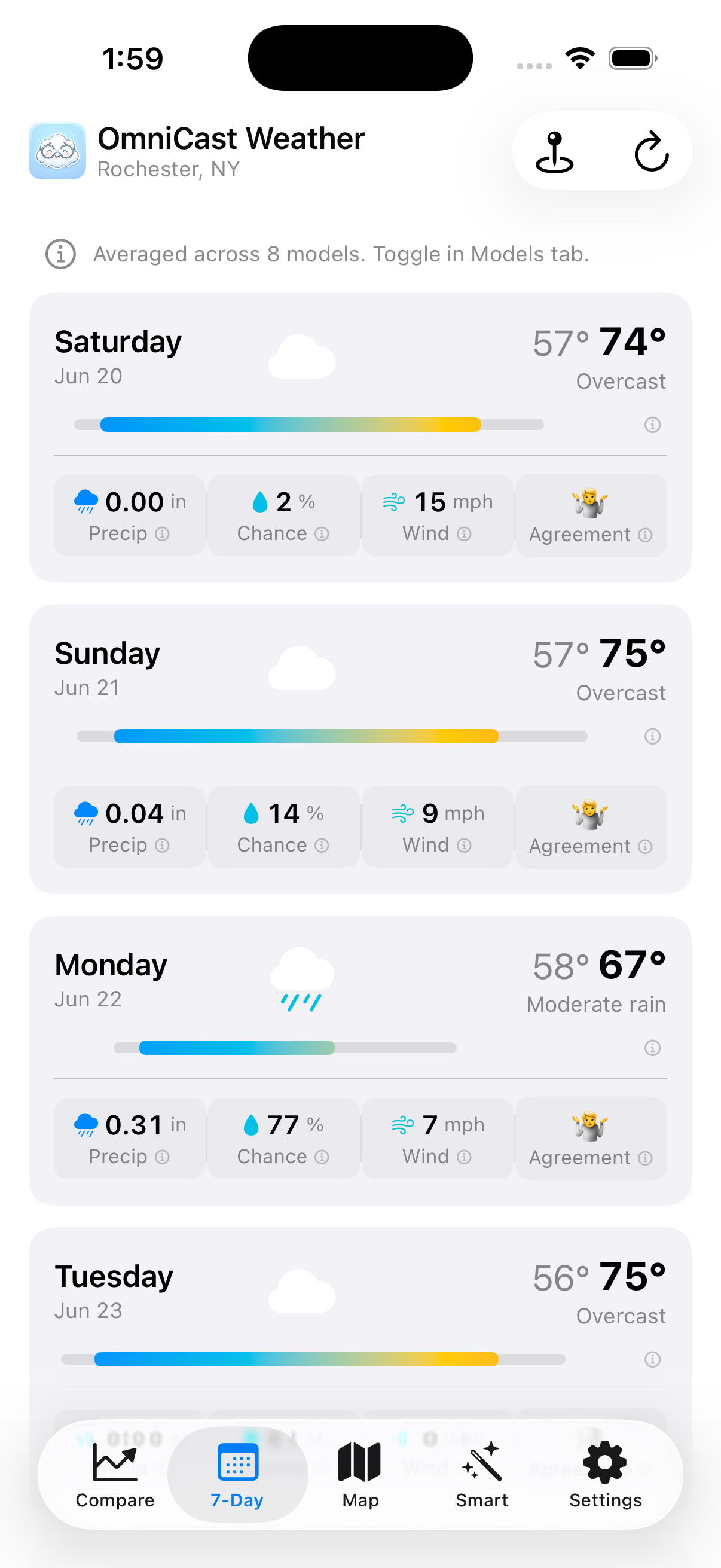
Your week at a glance
The 7-Day tab shows a card for each of the next seven days. Each card shows:
- High and low temperature
- A temperature range bar — the coloured bar shows the spread from cool to warm
- Precipitation amount and chance of rain
- Wind speed and an Agreement emoji
Tap any day card to expand it into an hour-by-hour chart for that day. The averages are calculated across all active forecast models, so you're seeing a consensus view, not just one source.
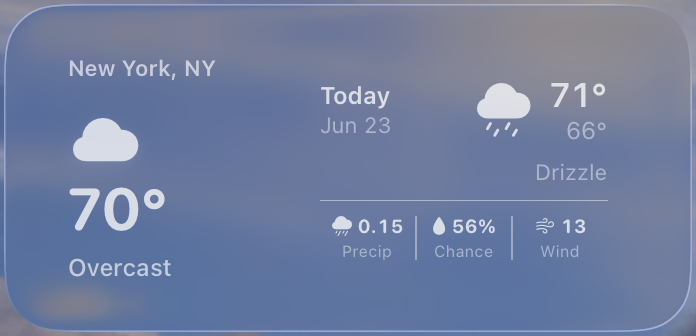
Check model spread from your Home Screen
The OmniCast widget gives you a quick read on current conditions and model agreement without opening the app. It is designed for the same question the Compare tab answers: are the models telling a clear story, or is the forecast uncertain?
Add the widget to your Home Screen when you want a fast glance before a commute, walk, workout, or outdoor plan.
Live radar on your map
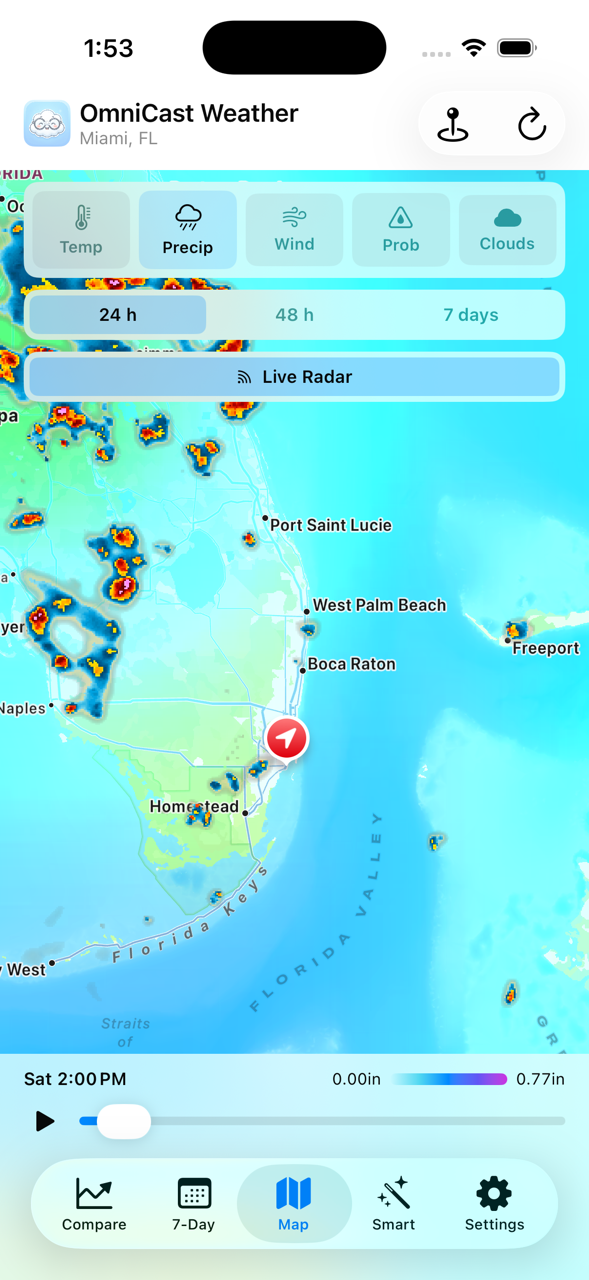
The Map tab overlays live radar on a full-screen map centred on your location. You can see precipitation moving in real time — useful for checking whether that storm to the west is actually heading your way.
Use the variable picker at the top to switch between temperature, precipitation, wind, and cloud views. The 24h / 48h / 7 days control lets you look ahead on the map the same way you do on the chart.
Smart Forecast — your personalised blend
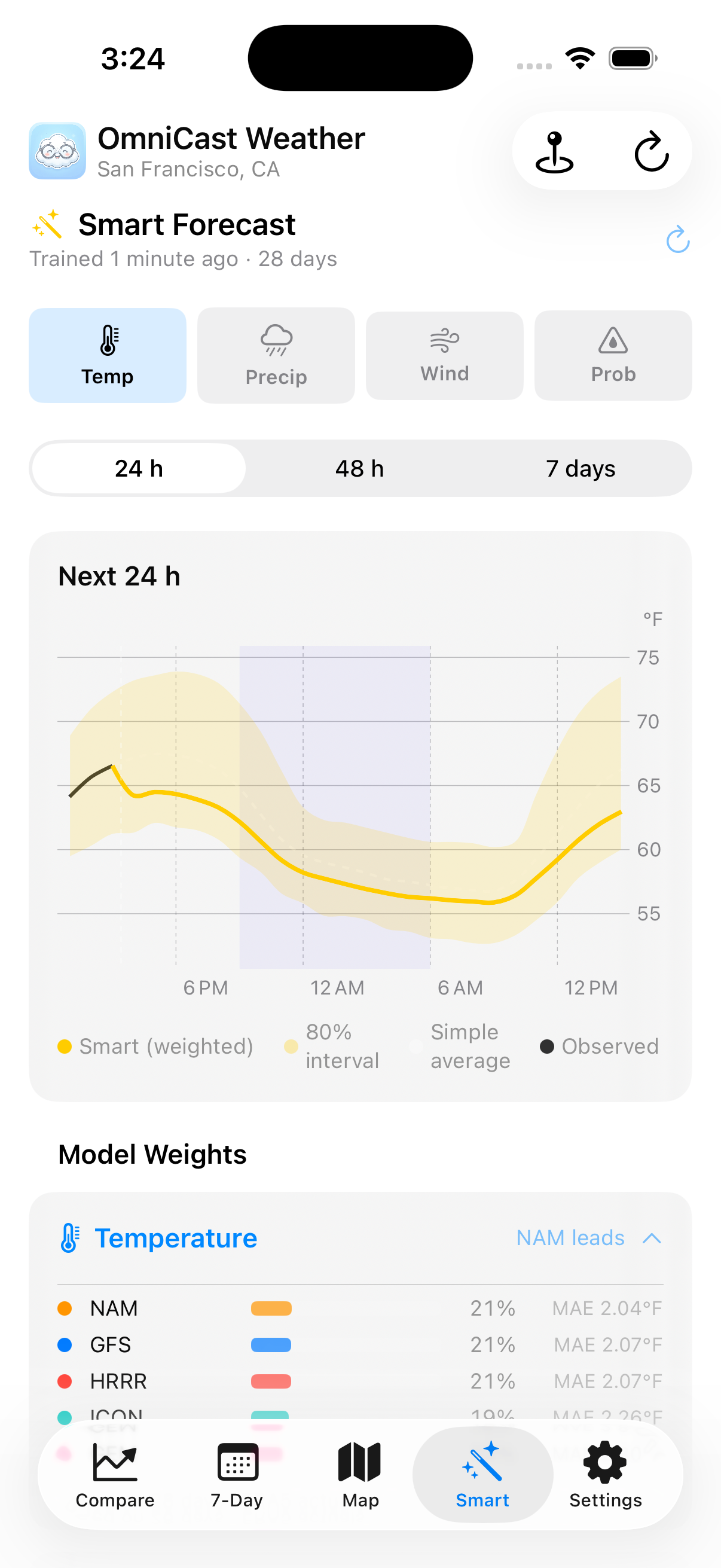
The Smart tab goes one step further. Instead of showing each model separately, Smart Forecast trains a small accuracy model on 28 days of historical data for your specific location, then blends the sources with weights tuned to what has been most accurate for temperature, precipitation, wind, and more.
- Different models get different weights for different variables
- Trained weekly so it stays current
- Fully transparent — you can inspect every model's weight
- Everything runs on-device; no data leaves your phone
Smart Forecast is a Pro feature, available as an in-app unlock.
Weather alerts on your terms
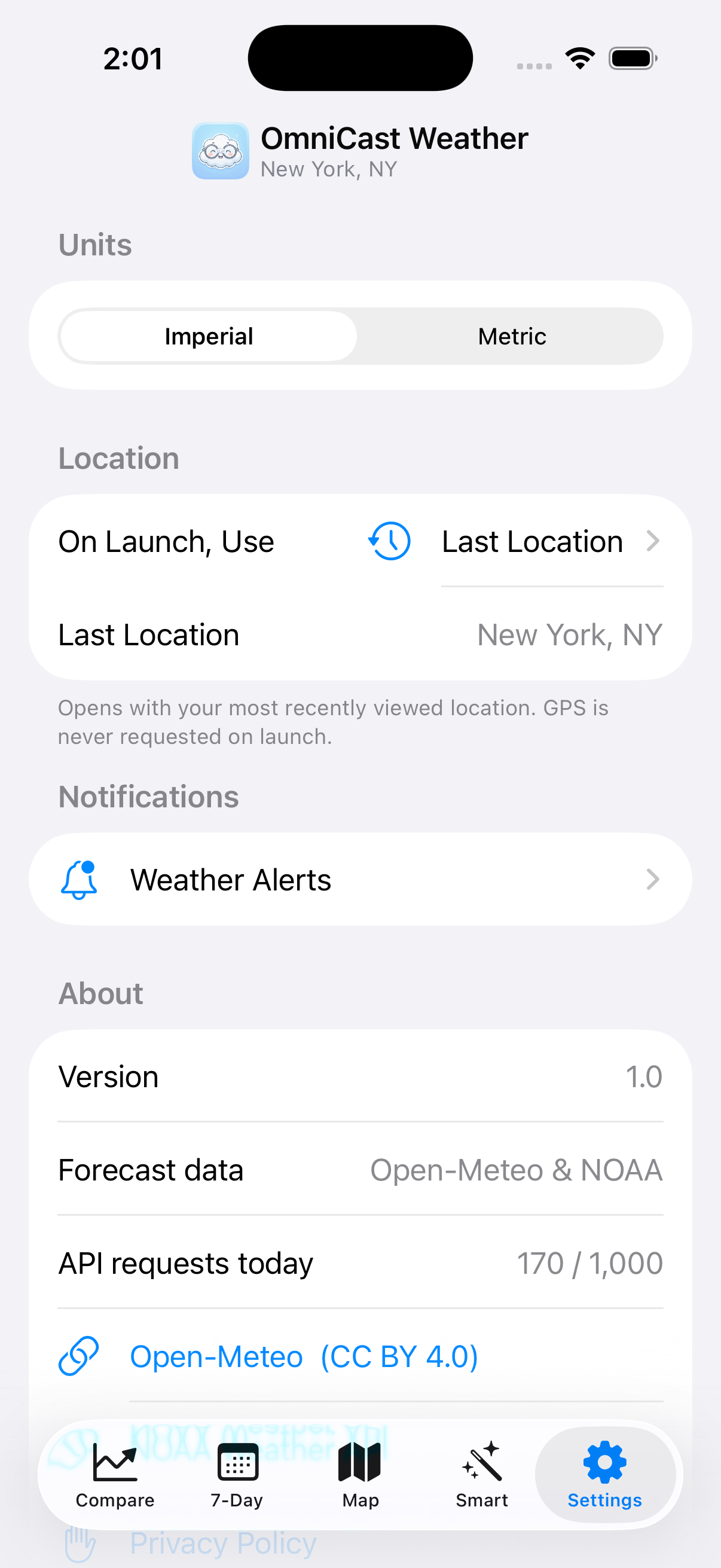
In the Settings tab, tap Weather Alerts to set up notifications for the conditions you care about:
- Rain alerts — get notified before it starts raining
- Severe weather — NOAA-issued watches and warnings
- Custom thresholds — only hear from us when the wind exceeds your threshold or when heavy rain is coming
Alerts are predictive — OmniCast checks forecasts ahead of time so you get a heads-up, not an update after you're already wet.
A forecast briefing, delivered
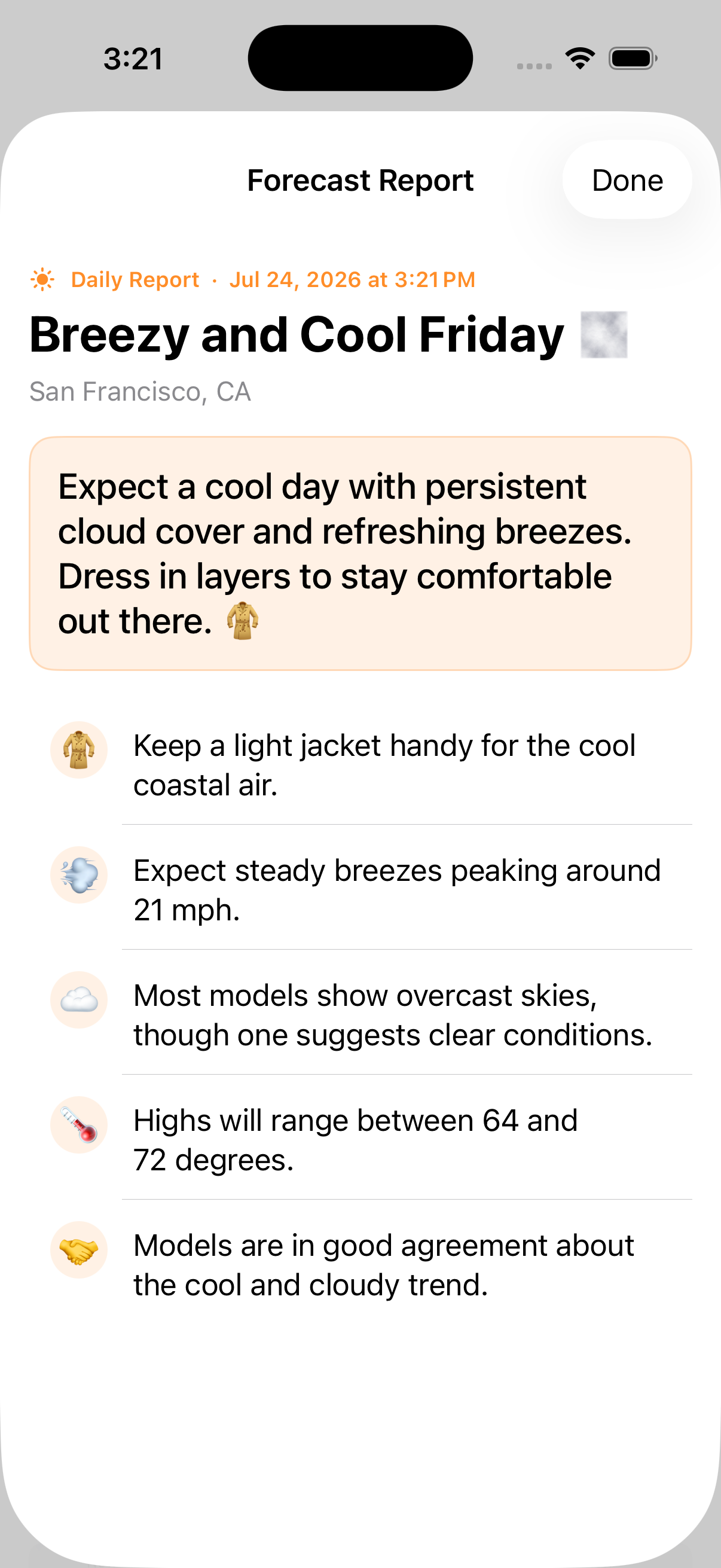
Turn on a daily or weekly forecast report and OmniCast sends a notification summarizing what the models agree and disagree on, written out instead of left as a chart to interpret.
- Choose daily, weekly, or both
- Pick a voice — a straightforward meteorologist by default, or a model nerd, gardener, or stylist with OmniCast Pro
- Tap the notification to open the full report with jacket, wind, cloud, and model agreement details
Ready to try it?
OmniCast is out now on the App Store — free to download.
Founding user offer: use code FOUNDER3 for 3 months of OmniCast Pro free — limited to the first 500 redemptions. Redeem it here.